
Rethinking Bitcoin Passphrases
Using a Passphrase to add additional security your Bitcoin Seed Phrase is cool 'n' all, but what if there was a different way? An easier and possibly even more secure way?
Yesterday, fellow bitcoiner Francis Pouliot tweeted out some solid, simple advice for sovereign-seeking folks to consider when creating and securing their Bitcoin private keys.

In a separate thread, he talks about considerations for making a strong passphrase, and highlights how straightforward changes to a passphrase can massively increase the difficulty for an attacker to compromise it.
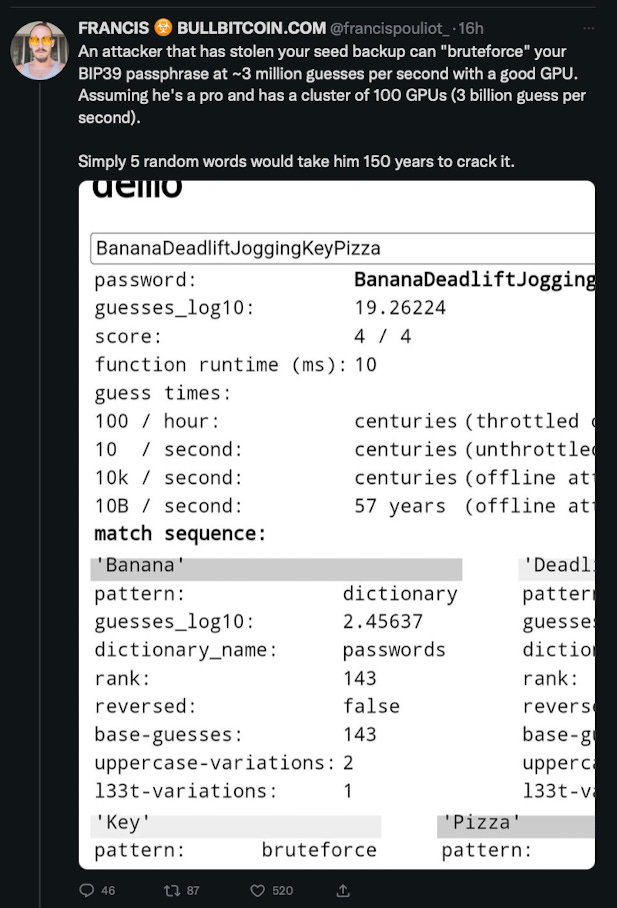
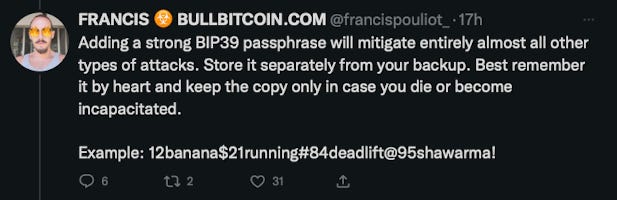
He also helpfully gave an example of what a secure passphrase looks like, and highlighted some of the realities - good and bad - that people can face with securing a seed phrase and a passphrase (in separate locations, possibly including your brain).
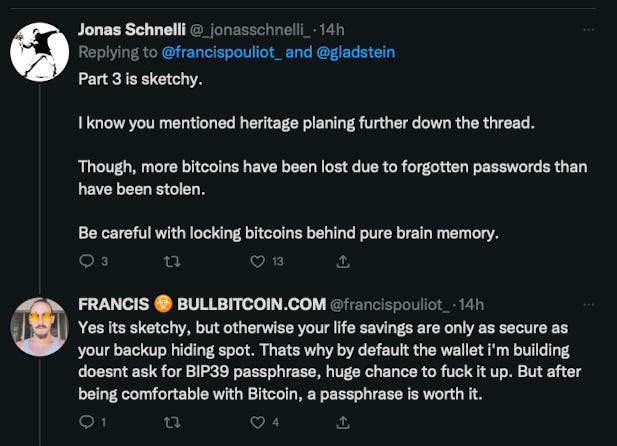
Former Bitcoin Core developer Jonas Schnelli then gave some thoughts on Francis’ “Step 3: [choosing] a very strong password [and] remembering it”.
This is a problem that some of you will know @SPA and I have given a lot of thought to and created a solution for:.
We call that solution: Border Wallets.
Let’s walk through how Border Wallets differs from traditional approaches to seed phrase creation. We’ll use Sparrow Wallet, which Border Wallets has now been integrated into, thanks to Craig Raw.
The Traditional Approach
Step 1. Generate 12 word seed phrase
In Sparrow, we select the ‘New’ option shown below.
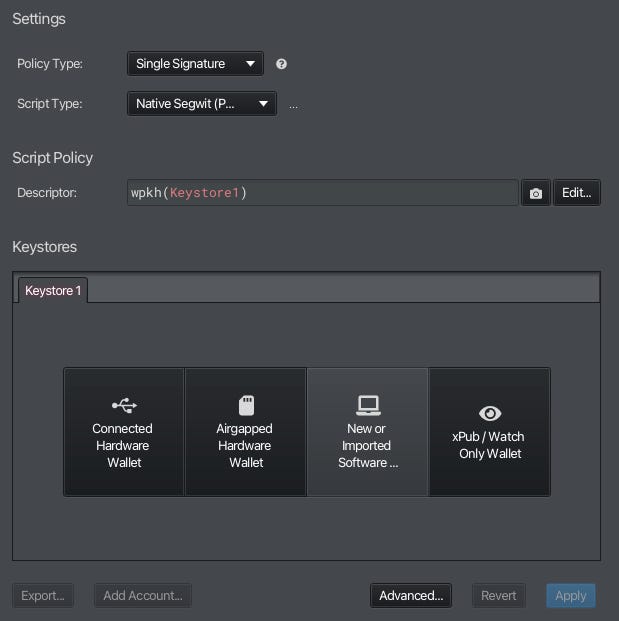
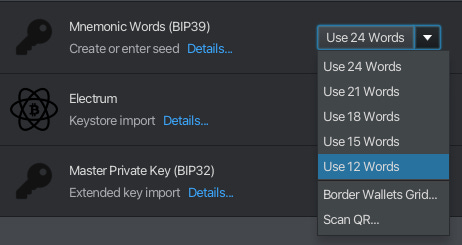
Step 2. Backup your Seed Phrase
For simplicity’s sake, I’m going to allow Sparrow to generate our example seed phrase.
When the seed phrase is presented to us, we’ll want to write it down in order to recover it later. Sparrow will also create a wallet file, which you can back-up digitally if you wish, but the seed words give you means to regenerate your wallet using any BIP39-compliant wallet management app in the future.
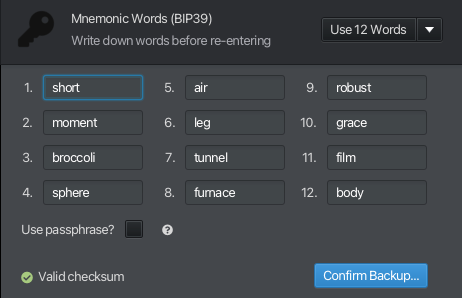
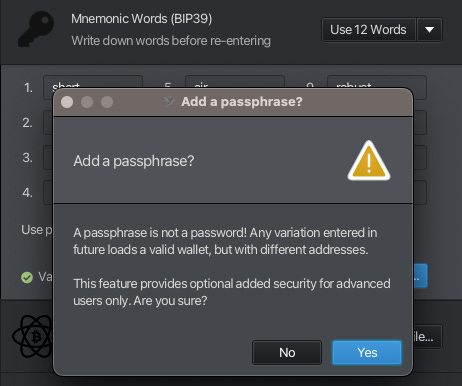
Step 3: Choose to add Passphrase
Here, we’d want to make this easy enough to remember over a long period of time, but hard to hack.
Step 4: Add your preferred Passphrase
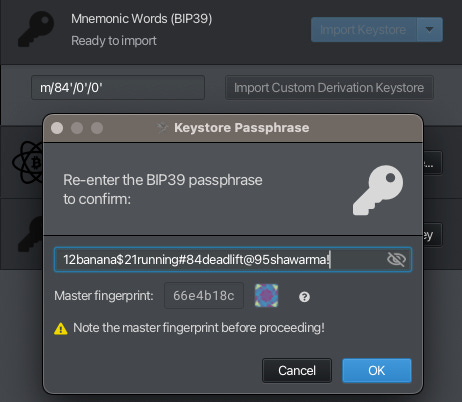
Let’s use the passphrase example that Francis provided: 12banana$21running#84deadlift@95shawarma!
(NB: don’t use this example, like Francis said)
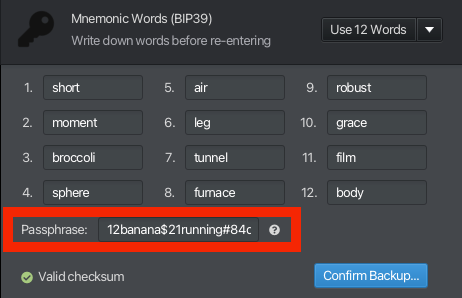
At this stage, we will want to either write down the passphrase and (importantly) locate it separately from our 12 word seed phrase (otherwise, what’s the point?) or commit it to memory.
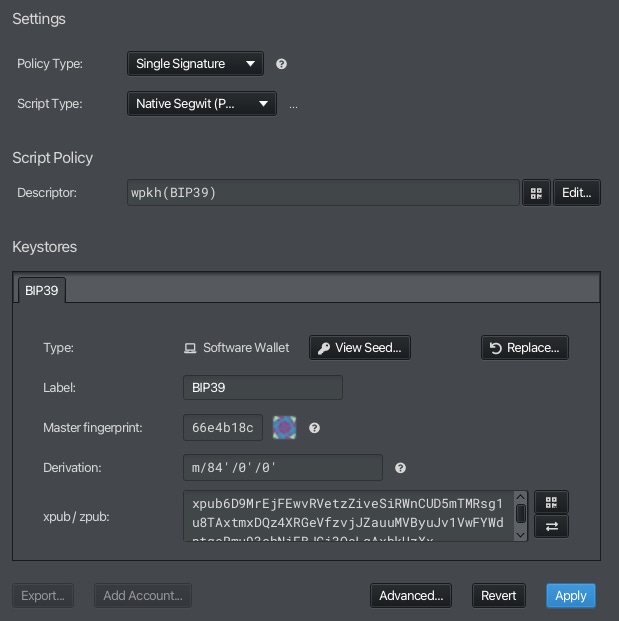
Sparrow then prompts us to confirm our backup by re-entering it, and then creates + imports the keystore as well as showing us the wallet derivation path and its master fingerprint.
That’s it. Our new wallet gets imported into Sparrow and you can start receiving and sending funds with it.
Now let’s look at how we approach the same problem using Border Wallets.
The Border Wallets Approach
Border Wallets exploit a human memory phenomenon known as the ‘Picture Superiority Effect’ - which shows that humans are far more capable of remembering shapes or patterns vs words.
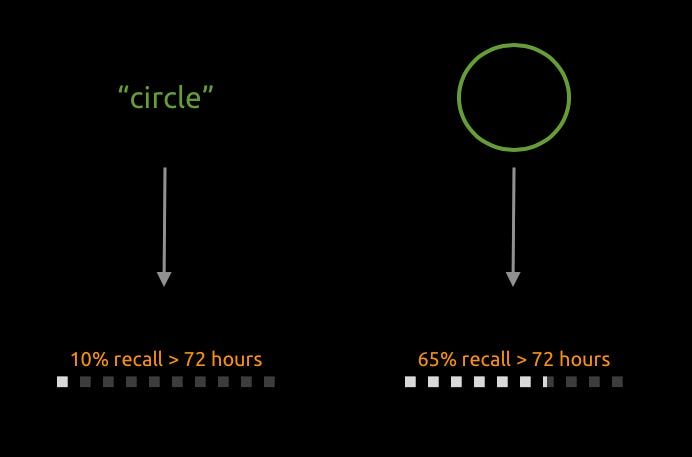
So instead of creating a passphrase comprising letters, numbers and special characters, we are going to create a memorable pattern.
Step 1. Generate a blank Border Wallets grid
Let’s open Sparrow and select ‘New’ again.
This time, we select ‘Border Wallets Grid’.
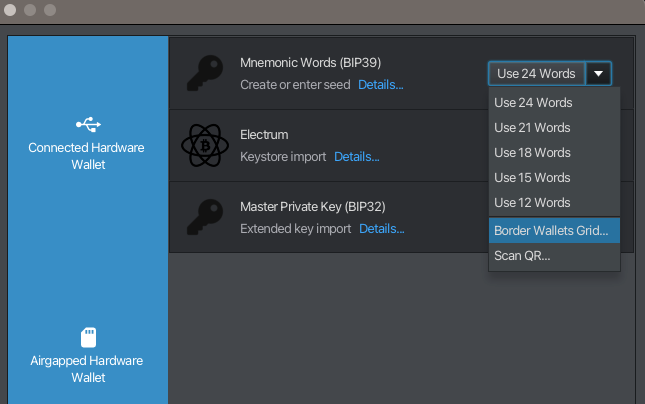
We are presented with a blank grid, which we can use to visualise new “patterns” of cells onto. We have columns A-P and rows 1-128.
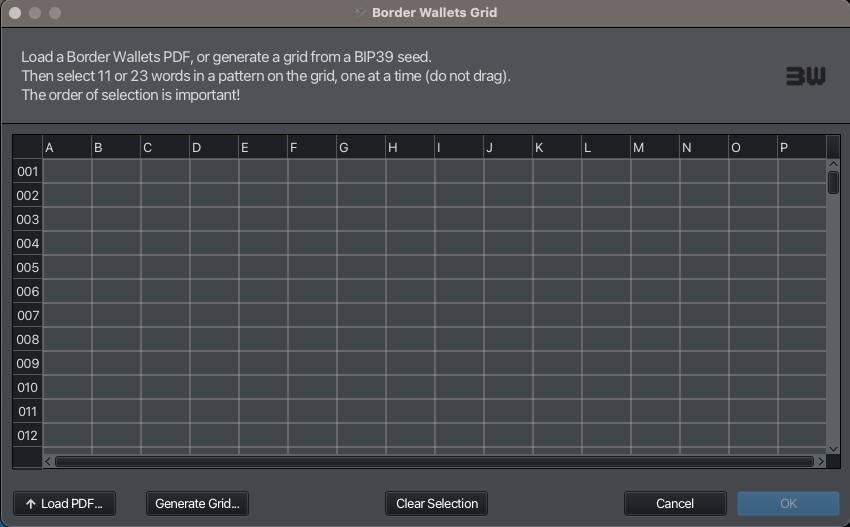
Step 2: Experiment with different memorable patterns and decide on one
Using our mouse, we click on cells to highlight them and create a pattern that you will find memorable, comprised of either 11 (or 23) cells. Select each cell in order.
Let’s make our example here a 4-4-2 football formation - as I used in my demo video which starts at row 66 (1966 the year England won the World Cup) and with a cell order going from top to bottom, left to right. Gordon Banks is in goal.
You will understand why we do this in a moment.
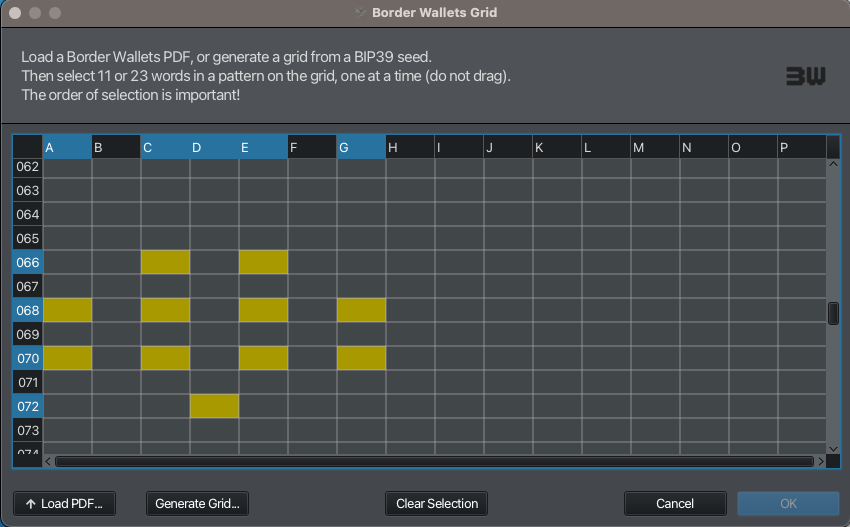
NB: there are literally millions of cell orders you can choose from any 11-cell pattern that you create, and orders of magnitude more for 23-cell patterns. This means that even if our pattern is ridiculously simple, we can vary the cell ordering to make it more complex/secure.
Step 3. Generate & backup your Entropy Grid
Next we select ‘Generate Grid’.
We are presented with an option to generate a new Border Wallets Recovery Code or use an Existing one. We are going to select ‘Generate New’.
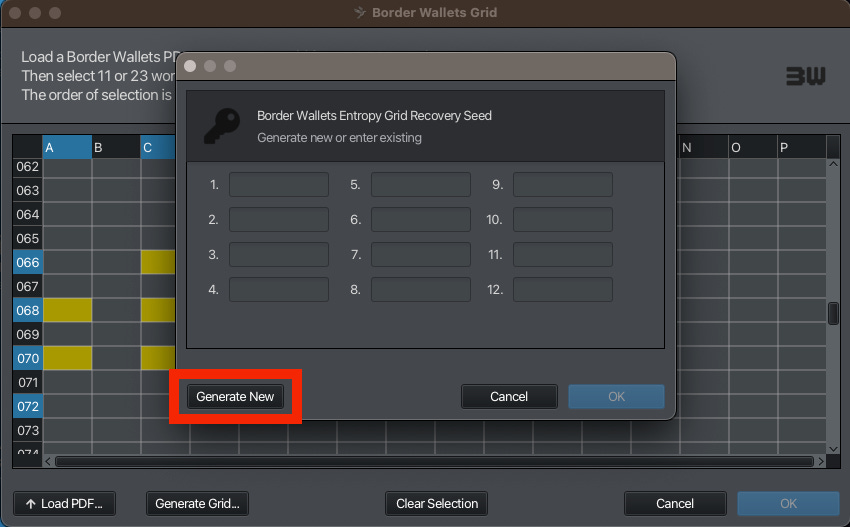
Sparrow generates what looks and works exactly like a Bitcoin seed phrase, but which is actually a code to regenerate the Entropy Grid* which is about to be shown to us.
*Entropy Grids are the name we gave to a randomised 128 x 16 cell grid of all BIP-39 seed words - labelled from rows 1 to 128 and columns A to P.
This Entropy Grid Recovery Code is unique, and will generate the same unique entropy grid when it is inputted to a wallet management tool or hardware signing device that supports Border Wallets.
Write it down and secure it in the same way you would a regular seed phrase.
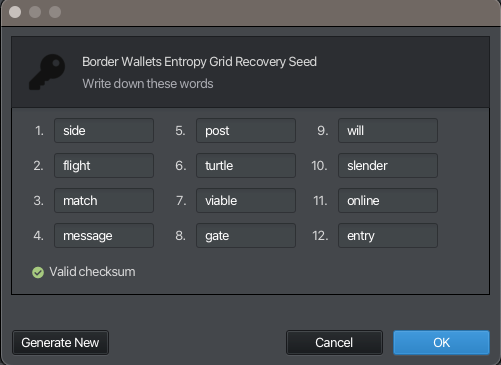
To repeat, this is a Border Wallets Entropy Grid Recovery Code which looks and can function in EXACTLY the same way as a regular Bitcoin seed phrase.
To any attacker, this Recovery Code will appear to be a valid Bitcoin seed phrase. If you import it into Sparrow as a regular ‘seed phrase’, it will allow you to generate a wallet from it in the same way we did using the Traditional Method detailed above. You can therefore add funds to it (maybe as a decoy/canary) like any regular Bitcoin wallet.
However, this seed phrase has a superpower. When we click ‘OK’, we are prompted to save our new Entropy Grid and we are then presented with this:
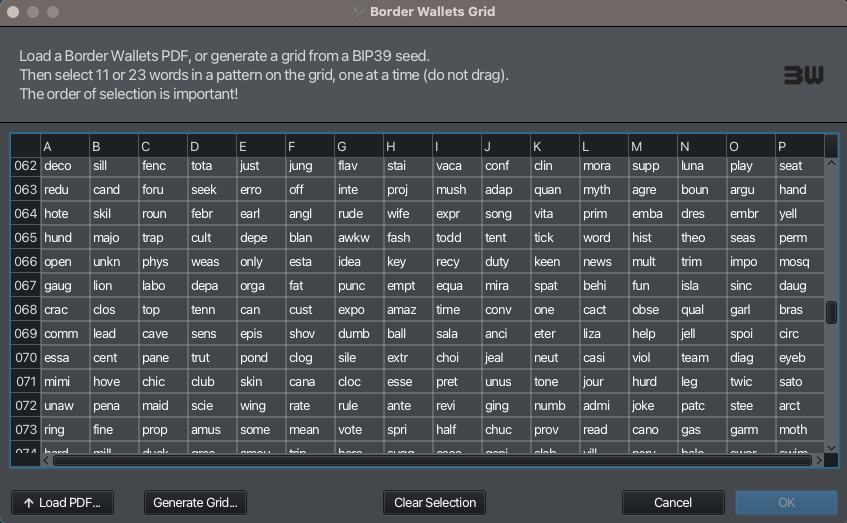
Sparrow uses the Entropy Grid Recovery Code to generate our randomised grid of all 2048 BIP39 seed words. We detail the security that goes into this on our website.
Backups
When we think about how to backup our Entropy Grid, we can choose to either do it as a digital file (PDF) which Sparrow prompts us to do, and maybe even encrypt that file if we wish…
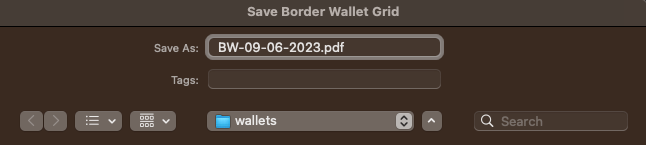
… or we can just save our Border Wallets Entropy Grid Recovery Code - written in exactly the same way that we write down regular seed phrases. The Entropy Grid Recovery Code is printed at the bottom of your Entropy Grid, should we wish to save it digitally or physically.
Step 4: Apply your Pattern onto the Entropy Grid
The pattern that we created in step 2 now needs to be mapped onto your populated Entropy Grid. You have an option here to choose a different pattern - in fact we can regenerate or import your grid at any time and apply as many patterns as we like to create different wallets, if we want to.
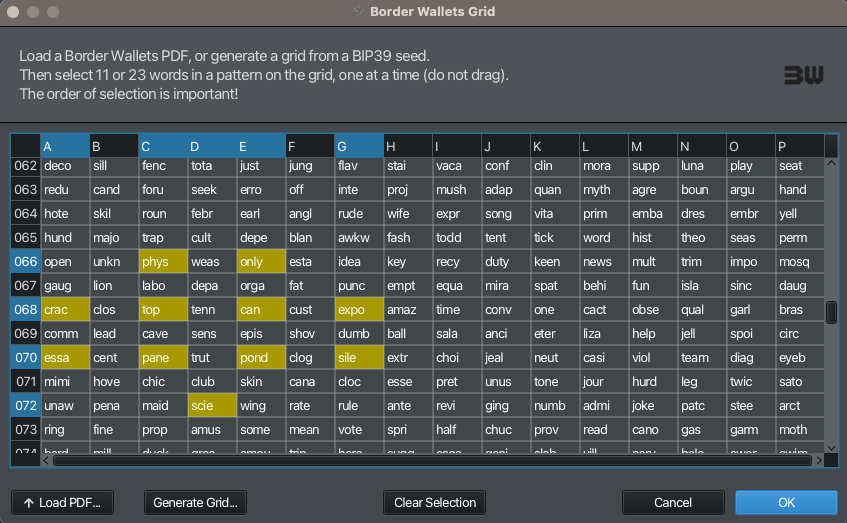
We choose the same 11 cells that we decided on in Step 2 - using the 4-4-2 formation, with Gordon Banks in goal :)
We hit ‘OK’ and our 11 cells are imported into the correct fields.
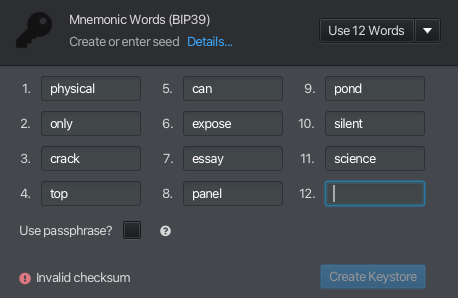
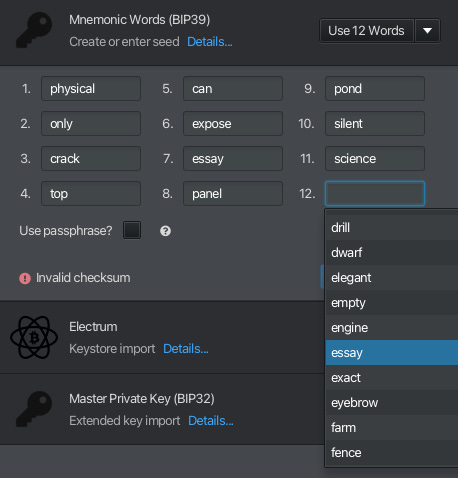
The final word - 12th word in this case - is a checksum and, using the preceding words, must be calculated here. Helpfully, Sparrow gives us all of the checksum options in a drop-down menu.
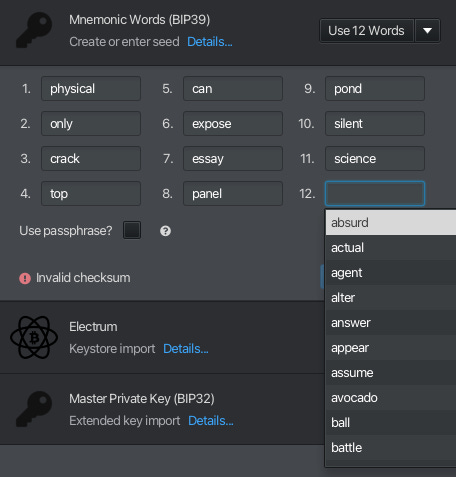
Let’s choose ‘essay’ as our checksum, as a tribute to what this quick post become.
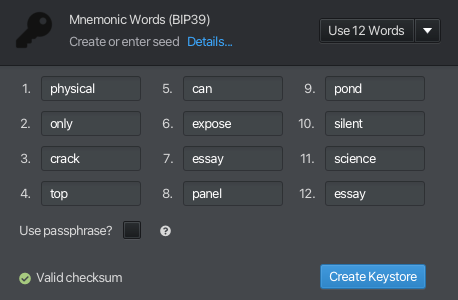
Sparrow confirms that it’s a valid checksum.
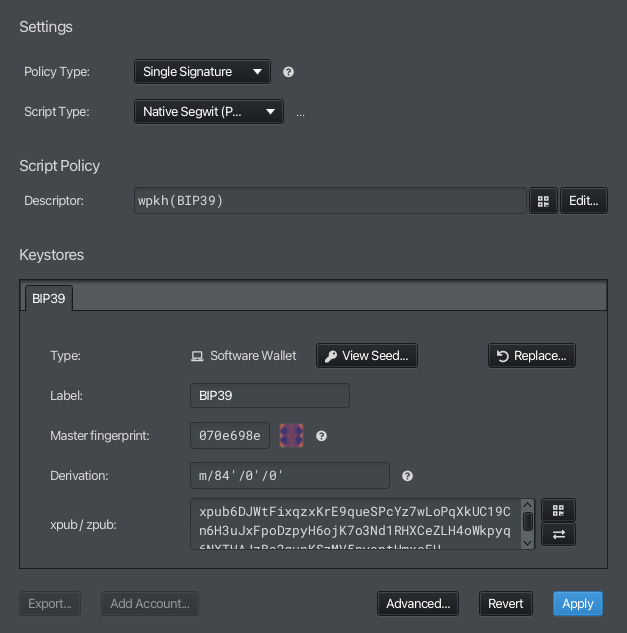
We create and import our keystore like before, and we’re off to the races again with a new wallet.
NB: clicking ‘View Seed’ will reveal the actual seed phrase from our Border Wallet. To restate, this is different to our Entropy Grid Recovery Code.
Comparing brute-force attacks
With either method used, if an attacker finds a valid seed, they are likely to assume that is protected by a passphrase, especially if the seed is empty (this is why it’s a good idea to keep a small amount of funds on it as a decoy/canary).
The attacker can then spend 150 years and great computing expense trying to brute-force our passphrase, only for it to be the case that the seed phrase was actually a Border Wallet Entropy Grid Recovery Code. Silly hacker wasted two lifetimes for nothing because they didn’t know it was an Entropy Grid Recovery Code lmfao.
If they are aware of the possibility that the words are actually a Border Wallets Entropy Grid Recovery Code, they would need to brute-force not only our pattern, but the correct order of cells used within the pattern, and the correct final checksum (and maybe even a radically more simple passphrase too, if we want to use one).
How many thousands of years and energy do they really want to spend trying to hack a humble pleb’s wallet, instead of just using that energy to mine bitcoin directly? Who knows. But you can now see how each approach offers different way of solving the same problem.
In conclusion, adding a passphrase to your seed phrase is a great way of increasing the difficulty of an evil-maid attack. But secure passphrases can be hard to memorise, and susceptible to loss over extended periods of time.
With Border Wallets, however, Bitcoiners now have the option to convert *ANY* Bitcoin seed phrase (new or existing) into a Border Wallets Entropy Grid, and create a secure but memorable pattern which they may find much easier to recall than a lengthy/complex passphrase.
If you already have a Bitcoin seed phrase, you already have a truly unique Border Wallets Entropy Grid waiting for you. It’s up to you whether you use it or not :)
/MTC
Read this far? Get $5 off a Border Wallets cap until the end of this weekend (June 11th).
Want to help our project find more people? Ask your favourite wallet management app or hardware vendor what they are doing to integrate Border Wallets into their feature set.